
← TRAMOYATRAMOYA — BOMBISTA

BOMBISTA

the one who sets the pace

Bombista listens to a recording, reads the words that are sung in it, and works out when each line arrives. Then it tells you which of those timings it doubts — which is the part that makes it worth having.

AT THE DESKPythonMITv1.0.2

WHY IT SAYS WHAT IT DOESN'T KNOW

A song has forty lines. A tool that hands you forty timings and no opinion about any of them has given you a choice between trusting all forty and checking all forty — and the night before a show, you check all forty.

Bombista checks them for you. Every line comes back in one of three bands, with the reason attached: the ones it is confident about, the ones it wants a human to look at, and the ones it could not place at all. On a typical song that turns forty checks into three. Fixing one is a number typed into a box and takes a fraction of a second.

It runs entirely on your own machine. No account, no upload, nothing leaves the room.
INSTALLING IT

pip install bombista

About 85 MB to install; the speech model, another 1.4 GB, downloads the first time you run it. After that it is fully offline.

USING IT

The way in is a local page in your browser. It opens on your own machine and nothing is served to anyone else.

bombista serve
THREE STEPS
1

INPUT

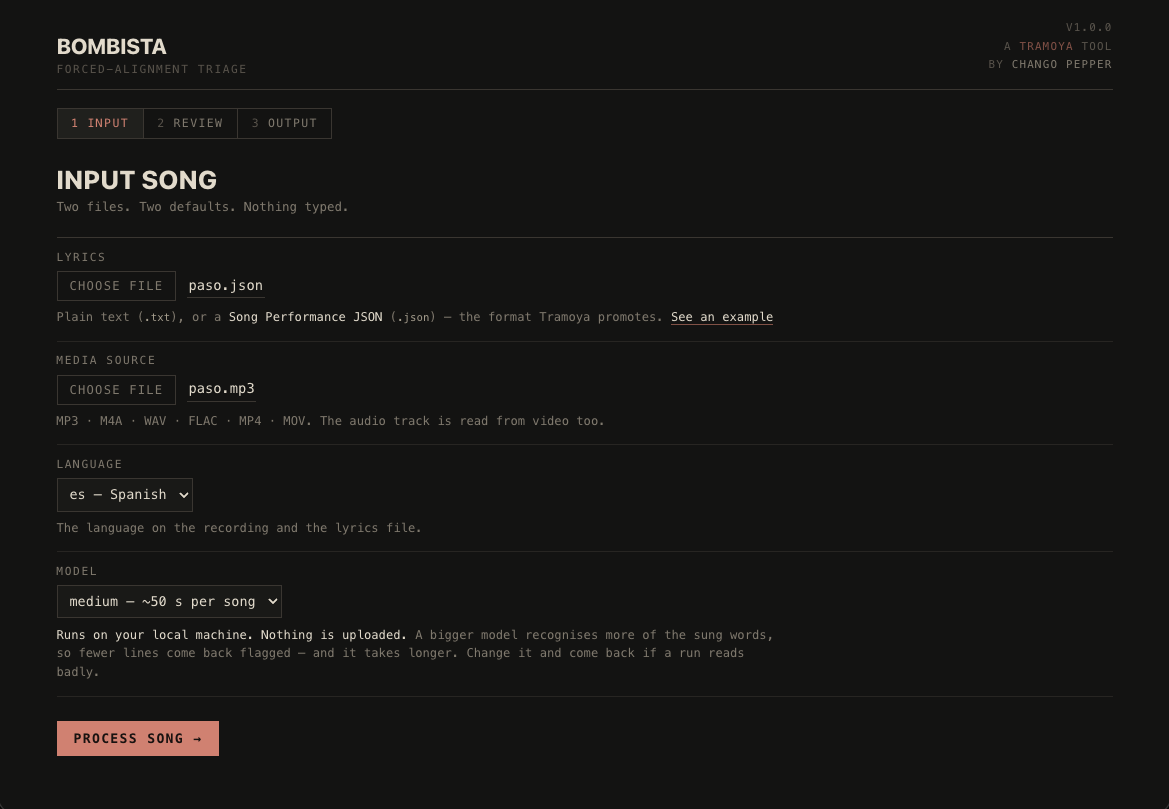
Point it at a media source — the recording, audio or video — and at the words: a song file, or a plain text file with one line per line. Press Process song. It takes the better part of a minute.

Step 1 of the Bombista interface: choosing a media source and the words that are sung in it.
2

REVIEW

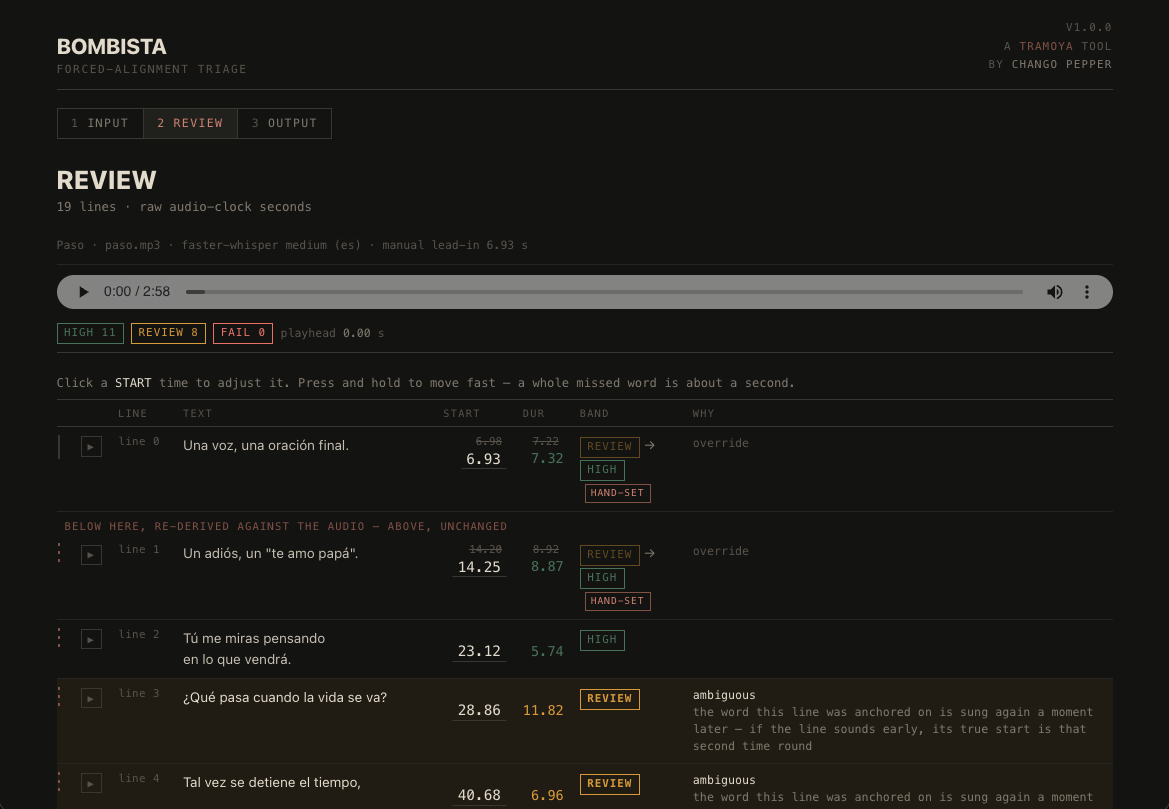
Every line, with its band and the reason for it. The confident ones need nothing. The ones it flags carry the signal that made it hesitate, and you can play any line to judge it by ear rather than by scrubbing the recording in another app. Correct one and the timings re-settle around it.

Step 2 of the Bombista interface: every line with its confidence band, the reason it was flagged, and hand-set corrections.
3

OUTPUT

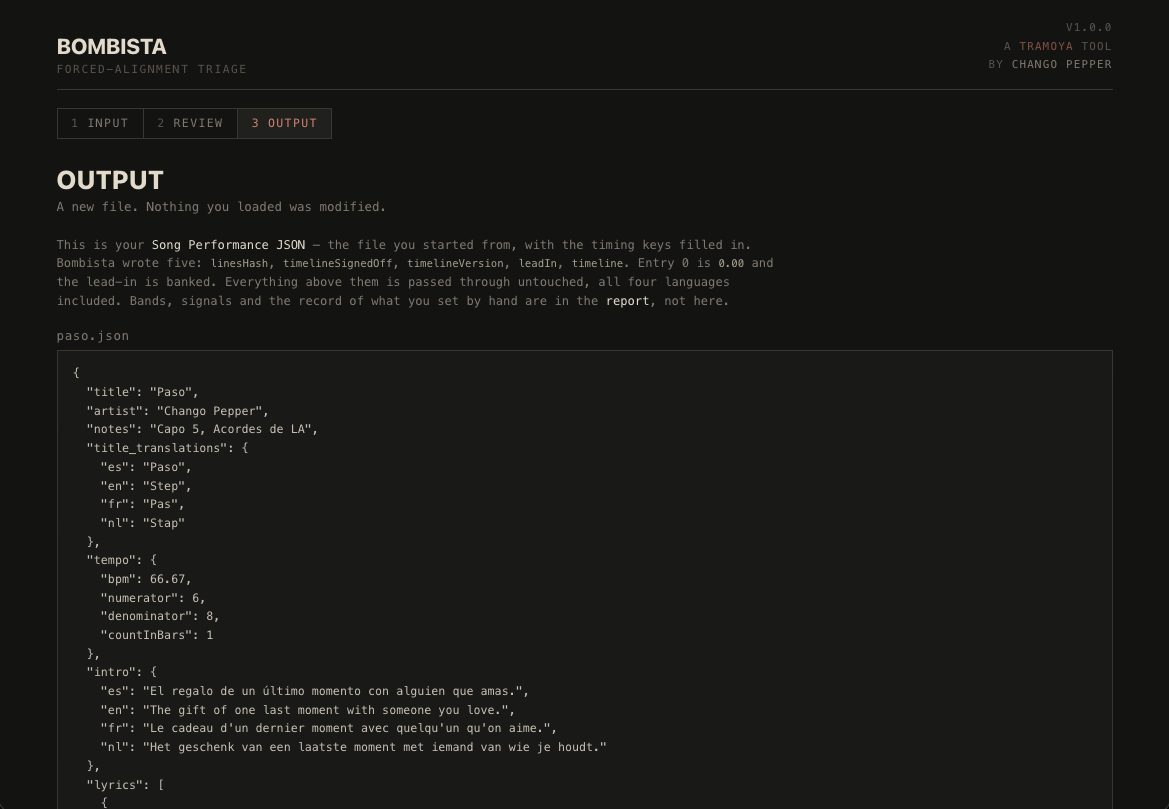
Three download buttons. The one that matters gives you back your song file with the timings written into it — the same file you handed in, with five keys filled and nothing else touched.

Step 3 of the Bombista interface: the finished Song Performance JSON, with its tempo block and title translations intact.

OR FROM THE COMMAND LINE

The same work, without the browser. Everything the page does is available as a command.

bombista align <recording> <song.json> -o <folder>